Showing posts with label Technology. Show all posts

Monday, September 15, 2014

Motivating Monday: JOMO

 
JOMO [jo-mo] n. 1) An acronym for The Joy of Missing Out.
Guy #1: I had a great day, went on a hike and didn't check facebook.
Guy #2: Good day?
Guy #1: Yeah pure JOMO.

I came across this article in Parents Magazine and thought it was fitting to share. As a backlash against FOMO - aka Fear Of Missing Out - the term is a rebellion against saying yes to everything, and is about giving yourself the space to think and experience things without freaking out about what you 'should' be doing instead.

My hope with this post is that you will be intentional about embracing the here and now with things that make you happy. Don't get sucked into the devil'ish world of social media that makes you feel like you have to be busier than you are. You all know that feeling. Enjoy your week and try to embrace those JOMO moments.

The header read, "#JOMO is the new #FOMO because #YOLO.

The constant barrage of parenting humblebrags, pin-worthy pedicures and perfectly posed and filtered pics of well dressed, angelic children is causing us to miss out on what's right in front of us. So, bid adieu to that nasty FOMO and embrace JOMO. Let everyone else hustle to keep up with the Joneses while you enjoy the relief of doing your own thing, no matter how un-Instagrammable it may be. Start by:

Just say no -- When everyone's volunteering for a PTA committee but you choose to binge watch Orange is the New Black instead, JOMO! When your friends invite you to Happy Hour but you'd rather since along to the Frozen soundtrack with the kids (again), JOMO! Only say yes to plans that truly excite you. Who cares if you don't get tagged in that photo later?

Keep it real -- Find IRL (in real life) experiences that mimic sites you enjoy most. If you're always pinning craft ideas or recipes, take a cooking class or pick up art supplies and get creative with your kids. Crave connection? Join a mom's group for real life social meet-up.

See the bigger picture -- For each image of a child quietly reading a book, there are hundreds of un-photographed moments where his behavior is...less than ideal. The next time you're staring in awe (and envy) at a photo or status update, remind yourself that you can't compare your insides to someone's outsides. The best moments happen off camera anyway.

Wednesday, May 7, 2014

How Bad Is It...

 
...to leave a charger plugged in when you aren't using it?

I am notorious for doing this. Along with the majority of you I'm sure. But I learned in HGTV magazine, that while it's not a fire or safety hazard to leave your cell phone, laptop or camera charger plugged in, it is a pretty big no no.

So what's the big deal? Count the number of chargers you have in your home. We have an iPad charger, a iPhone charger, and the Bose speaker charger all in the kitchen, We have a laptop charger on the desk and another in my husband's office. We have two iPhone chargers in our bedroom. That's seven chargers in a house with NO kids that have their own devices. Having just those devices plugged in 24/7 adds an extra $25 to my annual electric bill. Not a bank breaker but every dollar should count if you're being smart with your money.

Now consider that there are 130 million homes in the US. According to Paul Scheckel, author of The Homeowner's Energy Handbook, if each one of those houses has 10 chargers, we're collectively wasting billions of watts each year. It takes dozens of power plants spewing out smoke and emitting potentially harmful waste to produce that kind of energy.

Moral of the story: Although it may be a slight inconvenience, unplug your cord every time you are done powering up your device. If that's just too much of a hassle, invest in a power strip that you can quickly switch off whenever you don't need your charger.

Friday, December 7, 2012

Gift Guide: Stress-free Shopping


When you need a last minute present or just simply don't have time to package and ship, the "Treater" app can't be beat! This free app (for both iPhone & Android) lets you instantly give any friend gift certificates from everything from movie tickets and massages to gourmet dinners. Simply pick and purchase a "treat" and send it via Facebook, text or email.

Great for the holidays but a useful app all year round for those life events that sneak up on you!

Tuesday, May 8, 2012

Do you have Nomophobia?


No Mobile Phone Phobia. You have it?

According to NBC Miami's article today there is a the growing number of people who admit they have an obsession of staying connected.

According to a study by SecurEnvoy, a company that deals in mobile phone technology, the fear of being apart from your cellphone is on the rise. It's called Nomophobia, as in "No mobile phone phobia," and 66 percent of the people surveyed said they have it.

{Do you?? If I'm going to be real with you, I probably would fit in that bucket}

That number is up from a similar study four years ago, where 53 percent of people admitted to a fear of losing their cellphones.

{Fearful because it's annoying to loose all your stored contacts}

Dr. Mitch Spero, director of child and family psychologists in Broward County, said it was common to see problems arise because of cellphone use.

"Cellphones are tools that should be used to enhance our lives," he warned, "not to destroy our interpersonal communication skills with those that we love."

{True that}

The study by SecurEnvoy shows that people check their cellphones an average of 34 times a day. But for Karla Campos from Pembroke Pines, that's nothing.

{Count today how many times you check it...}

Campos estimates that she checks her phone closer to 50 times a day, and she even sleeps with it. "Before I go to sleep, I put it under my pillow," said Campos, who owns a web services company called Gig Logo.

{Over-the-top in my book. Ok to have it near the bed for the alarm but c'mon - under the pillow?!?}

According to the study, 75 percent of people use their cellphones in the bathroom. Scott Miller-Farrugia from Coral Springs admitted to being one of those people. "I bring it into the bathroom instead of the newspaper," he said. Scott's wife Shellie is such a cellphone addict, her nickname is "Celly." "No matter where I am, it goes with me," she said.

{I'm too am guilty of bringing it into the bathroom}

Campos takes "everywhere" to the extreme, bringing her cellphone into the shower, "just in case it rings and somebody needs me." For the record, Campos said she placed the phone on a ledge where it stays dry. She also uses her cellphone to communicate with her 10-year-old son. But not necessarily when they're apart.

{Overboard}

"He doesn't talk to me, I see him and pass by and he just says 'Hi Mom,'" Campos explained, "but when I have real conversation with him, it's on the phone, through Facebook."

{Sad}

Campos argued that any form of communication is better than none at all, and said she believes the cellphone connects her family. Spero disagreed. "What I recommend is to keep your cellphone there for emergencies, but when you're with someone make them the priority in your life," he said.

The study showed that the younger you are, the more likely you are to be afflicted with Nomophobia. Women are also more likely to have it than men.


{Do you children already have Nomophobia? Are you setting the right example for them by always being on it - checking email, texting, Facebook, Twitter? Monkey see - monkey do}

Wondering if you have Nomophobia?

The warning signs include: Obsessively checking your phone, constantly worrying about losing it even when it's in a safe place, and never turning it off.

Friday, April 13, 2012

Fancy Friday

Curious what tickled my fancy this week?

The OTTERBOX Defender Series iPhone 4/4S Case. The case you need if you want to be careless, work in harsh conditions, are tough on technology, anticipate heavy use or are just plain clumsy.

This case is a  must have for someone like me - a mom on my 4th iPhone due to carelessness. My husband keeps threatening that if something happens to my current phone, I'm done. Cellphone less. I call bull but I'm doing everything in my power to avoid that conversation. I'm hoping the Otterbox will be my saving grace.

Yes this case is a little beefier and bulkier than most but it's design is made to protect. All those trendy, cute plastic one sided cases are crap. It has a robust 3-layer protection, built-in screen protector and port covers to keep out dust and debris.

One flaw I see in the design is that you have to undo the bottom flap to plug the charger in. Granted it's a soft silicone so it's easy to undo but with it not being exposed, it does take a few more seconds to plug in. And you mom's know, sometimes we don't have those few extra seconds when we're on the run.

They do also make an Otterbox case for the iPhone 3S and the iPad 1/2/3 which is a must if your kid's are the main users of the iPad.

Invest in the Otterbox and you can enjoy your adventures, whatever they may be without worry of damaging your device along the way. This case is practically indestructible.

The Otterbox Defender retails for around $49.99 but is currently on sale on Amazon. There are all different colors to chose from.  

Wednesday, September 7, 2011

Digi-DO's & Digi-DONT'S

Is it just me or does it seem like everyone carries their cell phone with them everywhere? The one that gets me the most is taking it to the bathroom. Or what about the email chirps or text message dings that have become the background music during family dinner? I'll admit - I am guilty of having my cell on me most of the time. Ok all the time. But I'm trying to get better about being more "out of touch" especially when spending time with my kids.

While intentionally not browsing on my phone while waiting in the Doctor's office, I came across an article in Parenting magazine that was oh so fitting.

Technology has created a world of both wonder and worry for the modern family. I'll never forget when I got my first email account. In college. I felt like I was a character on the Jetsons. Sadly now email is almost a thing of the past. And what about doing research in the Encyclopedia? Man, I am really dating myself. But it's true. Snail mail. Going to the library to check out a book. Handwriting a paper. All things of the past. The average family household now has a whopping 23 tech devices. 59% of kids have witnessed their parents using a mobile device while driving. Children under 5 are more likely to be able to play a computer game than tie their shoes. And no that doesn't make your kid smarter.

Parents need to know what it means to be a good digital role model. Some people are better than others at knowing when and where to draw the line, while other's need to set boundaries. Do you really want your child moving at the speed of 4G? Regardless, I think we all could benefit from this simple checklist of Digi-do's and Digi-don'ts that should be applied in this powerful, plugged-in, pixelated world we live in;


1) All devices should be treated equal: It used to be that screen time meant TV time. But now that the average family has nearly two dozen screens under one roof, they must be treated the same. "Whether it's playing with an app on an iPad, watching a movie on TV, or playing a computer game, they are equally engrossing to kids," claims Parenting magazine. However, they state that if a device is being used for an activity that's productive or educational, or fosters family interactivity - such as reading an Ebook together - that shouldn't count against screen time.

2) Monkey see, monkey touch, swipe and drag: Nine out of ten Americans have seen people misuse technology. Translation: We are all offenders. Consider these two statistics from Intel's "2011 State of Mobile Etiquette" study: 46% of kids have seen mom or dad use the phone during dinner, and 49% don't see anything wrong with it. If the kids witness you doing it, they will assume it's approved behavior. Hmmm. Valid point. Parents need to set an example as good digital citizens. That means no texting while driving (not even at red lights which I myself need to get better at), or it's safe to assume your kids will follow suit when it's their turn behind the wheel.

3) Make eye contact, not iContact: While doing research for her book "Alone Together; Why We Expect More From Technology and Less From Each Other," Turkle met kids who complained about their parents being disconnected. "They talked about moms who bring their phones to bedtime, or coming out of school and the parents making a hand gesture instead of eye contact because they're finishing an email." One I see all the time - a parent pushing their kid on the swing with one hand and looking at the phone with the other. The result? Kids are disconnecting as well. It's sad when you see kids having trouble making eye contact. Sadly kids would rather send an email, text or Facebook than talk face to face with teachers, coaches and parents. The result? Social skills are vanishing. The answer: Make and maintain connection, without pit-stopping for a tech interlude.
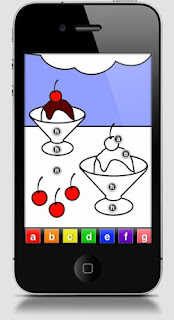
4) Establish electronic curfews: Creating "blackouts" encourages families to do things together and forces kids to get creative with their free time. With preschoolers, unplugging the power strip from the wall and claiming a "power failure" is an easy way to do it. For older kids, a more foolproof option is "BreakTime," an app from myi (http://www.myi.com/), a service that lets users customize their household's Internet usage. BreakTime allows families to put the Internet on hold for a length of time on any device (mobile phones, computers, gaming systems, tablets) that receives connection.

I encourage you to set some boundaries both for yourself and your kids. I think it's important to get a handle on this because there is no going back. Our kids need to know that YouTube isn't the answer to everything.

Tuesday, April 12, 2011

Top iPhone Apps for Kids

Babble recently did a survey of their Top 50 Mom Bloggers asking them to pinpoint their favorite must-have mom product. There were a wide range of answers from Aden + Anais swaddlers to baby wipes. But ironically there was one answer that popped up over and over, and it might not be what you’d think.

Drumroll please.......the surprising #1 can’t-live-without mom product is - the iPhone! Yep, beyond baby swings and pacifier clips, modern moms are praising technology for getting them through their day. Most claimed they simply "can't live without it." And if it wasn’t the iPhone, bloggers claim that any cell phone or iPod Touch does the trick.

I'll admit, I fall victim to being attached to my iPhone. Don't judge. It is what it is. I however haven't gotten to the point that I need to rely on apps to entertain Chase - and I personally don't know if I want to even go there. Barney on YouTube so far has been the extent of our cell phone entertainment. I absolutely see the benefit of apps as they have the potential to entertain a child through an evening out for dinner or simply give you 5-10 minutes of alone time but when I see a child glued to the phone, I begin to wonder...

But then again, to each their own. If you're in need of some entertaining, educational kid-friendly apps, here is a list that Heather Leister, The iPhone Mom, put together for Babble.com:

Wednesday, March 9, 2011

TIME & MONEY saving gadget

Ever wish you could compare an in-store item price with an online one to see which is cheaper? Or better yet - interested in what other's are saying about the product before purchasing? I know I have. Just last week in fact. After buying far too many toys that never get played with or fall apart, I've learned my lesson; check the reviews of what other mom's are saying before buying. With these fantastic new barcode scanning apps, I was able to do just that!! Talk about the perfect shopping assistant!

Barcode scanning apps have revolutionized the way people shop. They have made in-store price comparison bigger than ever. Apps like RedLaser, Shopsavvy, Stripeylines, Sccopes and Thefind are all shopping companions for bargain and info hungry shoppers who want to ensure they are getting the best deal. These apps help users to search and compare products and prices, create product wishlists and favorites, listen to scanned CDs through iTunes and instantly download, purchase directly, or post products and comments to Facebook, Twitter and eBay.


All you have to do is download the app on your phone for FREE and then the next time you're in the store, just scan the item with the barcode reader to compare pricing or to check product and customer reviews. You can also search by product code, name, brand, or browse by category. If the online-price is better than the store price you can click and buy right then and there. Some even allow you to scan a DVD and listen to the song straight from i-Tunes when trying to decide if you want to buy or not. Pure. Genius.